Writing an engaging blog post doesn’t come naturally to everyone.
It gets harder when the topics are welding procedures, bending tolerances or the pre-treatment before powder coating, and the readers are engineers and purchasing managers who have no patience for fluff.
Luckily, engineers do read technical content, as long as it is useful and easy to read. Once you know which elements make content engaging, the topic itself stops being the obstacle.
If you want to learn how to turn a dry technical topic into content that keeps a buyer’s attention, keep reading. Here are six tips for manufacturing companies.
Table of Contents
Create a Writer Persona
When you run a blog for a metal shop, you are not broadcasting to just anyone.
Your topics are aimed at a particular audience, design engineers and buyers at OEMs, and as a result they get very specific: the minimum bend radius for 1.4301, the edge quality of a fibre laser on 20 mm steel, what EN 1090 EXC3 actually requires.
There is nothing wrong with that. You have your readers, and you want to give them content that covers their needs and pain points.
The risk is on the other side: the writing gets so technical and dry that it reads like a datasheet.
And according to Thomas Griffin, that makes engaging readers a real challenge.

Source: Fortis
The solution is not to invent never-seen-before topics for every post. A more sustainable option is to nail your writer persona.
In other words, find your voice, build an identity in your writing, and be consistent about it.
For a manufacturer, the most credible voice is usually the one you already have on the shop floor: the production manager who has cut heavy plate for twenty years, the welding engineer who has argued with a hundred inspectors, the quality manager who knows which customer audits ask which questions.
Just because the topics are technical doesn’t mean the tone has to be stiff. You can be direct, a little dry, even slip in a joke about drawings with impossible tolerances. Engineers appreciate a writer who sounds like someone who has actually stood at the machine.
The important thing is to be authentic. That is what makes you stand out among supplier websites that all sound like the same brochure.
You can establish a writer persona with something small. One pattern that works well for job shops is to open every article with a real situation from production: “Last month a customer sent us a drawing with ±0.05 mm on a laser-cut bracket. Here is what we told them.”
That is seemingly insignificant, but it accomplishes several things: it sets a practical, friendly tone, it works as a signature intro, and it tells the reader in one sentence that this was written by someone who deals with these problems every day.
A consistent writer persona gives your readers something dependable to come back to. If your technical content is already good, that is a welcome boost.
Improve the Reading Experience
Your articles can be filled to the brim with useful information, and one element still decides whether anyone reads them: the reading experience.
If reading your page is hard work, the effort you put into the content is wasted. The engineer simply moves on to a page that is easier to read, often the design guide of an on-demand platform.
So what can you do to improve it? Let’s look at a few options.
To kick things off, write in short paragraphs of no more than three to four lines. Look at the two examples below; it is immediately clear which one is easier on the eye.

Source: Inter-web
Shorter paragraphs make reading easier and immediately keep readers on the page longer.
Besides paragraph length, font size matters. A font that is too small makes reading a chore, and an engineer who is checking your tolerances between two meetings will not zoom in.
The example below doesn’t have an ideal typeface solution:

Source: Usabilitygeek
So how big should the font be?
Derek Halpern of Social Triggers recommends at least 16 pixels. Some sites go bigger; articles on Medium use 21 px. Our blog uses something in between, 18 px.

Source: Font Picker
The next thing to consider is the typeface. Some fonts are more readable than others, but there is no clear consensus on whether serif or sans-serif fonts are more legible on screen. Pick a clean one and stick to it.
Beyond paragraphs and typeface, optimise the line height, the width of the text column (narrower is better) and the size of your images (horizontal works better than vertical).
Two details specific to manufacturing content: tables of materials, thicknesses and tolerances must stay readable on a phone, because buyers do check supplier pages on the shop floor and between meetings. And a PDF brochure embedded on a page is not a blog post; put the content on the page itself.
To dial in the typography, you can use a tool like the Golden Ratio Typography calculator, which gives you a consistent system of font size, line height, width and spacing.

Source: grtcalculator
With the choice readers have today, they turn away from your page the moment reading it feels like effort. Optimising the reading experience prevents that and pays off in the long run.
Feature Other Experts in Your Articles
Just because it is your blog doesn’t mean every piece of information has to come from your own head. On the contrary.
Featuring other experts benefits your content in several ways.
First, citing someone respected in the field gives the article more credibility. People trust experts, and the data supports that: 85% of people seek out expert and credible content before they buy.

Source: Fortis
The same logic applies to your articles. An expert sharing a few thoughts on the subject makes the content more engaging and more believable.
For a manufacturer, the experts are closer than you think:
- your own welding engineer, production manager or quality manager,
- the application engineers of your machine and material suppliers,
- a design engineer at a customer who is willing to talk about a project,
- people from trade associations, certification bodies and technical universities.
The second benefit is reach. If you interview the application engineer from your laser supplier about cutting Hardox, you get an engaging article, and the interviewee will usually share it with their own network on LinkedIn, which is full of exactly the engineers you want to reach.
Expert insight for your article and networking at the same time? That is a win-win.
Interviews are great, but they take time. Luckily, they are not the only way to bring expert opinion into your content.
You can also quote opinions that are already out there: LinkedIn posts by respected engineers, talks at industry conferences, interviews in trade magazines, guidance documents from standards bodies.
Say you are writing about whether laser cutting or waterjet is the better choice for thick aluminium. Find the people who are outspoken on the subject (search LinkedIn for the topic, or look at who speaks at the trade fairs in your niche), and quote them with a link to the original. Their point of view supports your argument and makes the article more engaging than your opinion alone would.
Bottom line: don’t be shy about featuring experts. They provide the insights that engage engineers and bring more of them to your site.
Use Case Studies and Reference Projects
Case studies add credibility and storytelling to technical content. They go in depth on a time when a specific capability solved a specific problem, which makes the content relatable and engaging.
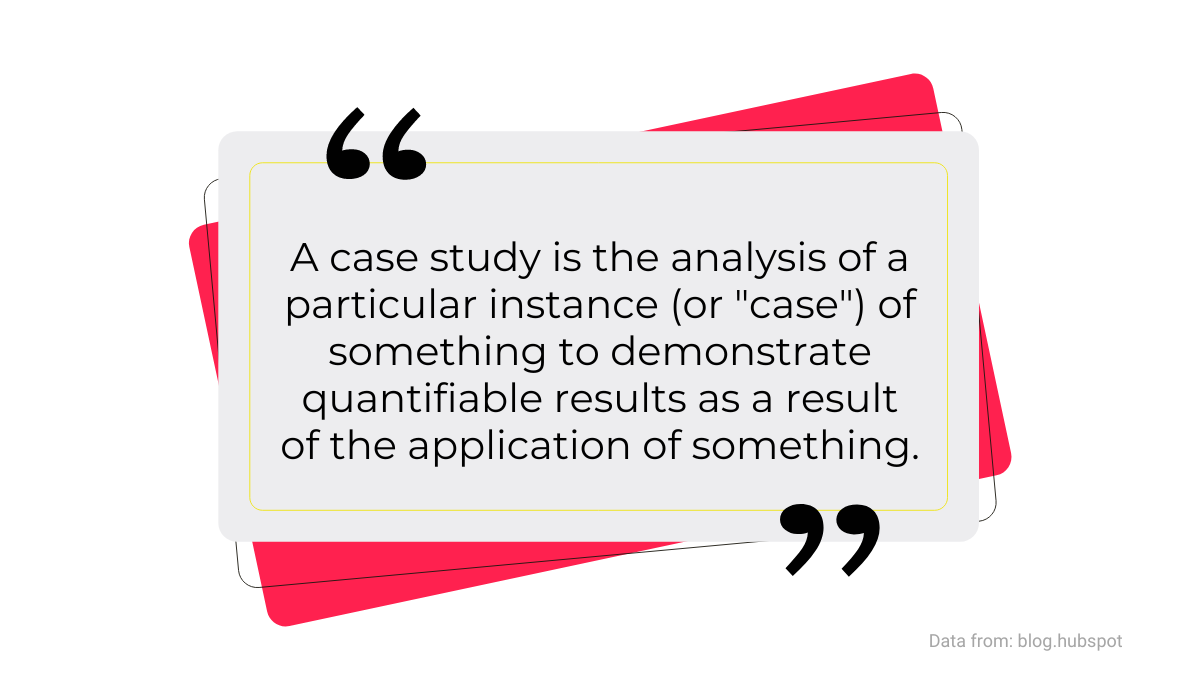
Here is how Siobhán McGinty from HubSpot defines them:
Source: Fortis
Industrial buyers trust case studies. Even back in 2016, 73% of B2B buyers read a case study during their research, and a purchasing manager evaluating a new supplier today still wants proof that you have made something similar before.
Analytical content, rich with data about a specific example, holds the reader’s interest.
Whether you write up your own reference project or borrow someone else’s to support a point, the engagement of the article improves. Both work.
To get the most out of a case study, keep the reader in the centre. The point is not to rave about your machine park. It is to show a problem the reader recognises and how it was solved, so that the quality of your work shines through the story rather than being announced.
Matthew Stibbe, CEO of Articulate Marketing, puts it like this:

Source: Fortis
An article built around a case study like that is far more engaging than a bullet list of why your shop is great.
Here is what it looks like in practice. Say a machine builder came to you with a welded bracket assembled from four laser-cut parts that cost too much and kept failing inspection on flatness. You redesigned it as one laser-cut and bent part, cut the part count from four to one and the unit cost by 18%, and eliminated the flatness problem along with the welds.
Written as a story, with the drawing before and after, the numbers and a quote from the customer’s engineer, that is a case study every design engineer in machine building will read to the end, because they have the same bracket on their desk.
Case studies are mini stories about real companies, real parts and real results. It is no wonder they increase engagement. Don’t miss the chance to use them, and don’t let them sit as a photo gallery labelled “References”.
Use Photos, Videos and Other Visual Aids From Your Own Production
Reading online is hard. Readers don’t find large blocks of uninterrupted text appealing, so we have to make reading easy.
A good way to do that, and to make content more engaging, is to use images and videos in your articles.
But not just any images. The visuals should complement the text, not sit there for decoration. Neil Patel explains it like this:

Source: Fortis
The data backs this up. BuzzSumo analysed blog posts with images and found that articles with one image per 75–100 words got twice the shares of articles with fewer images.
Findings from Adobe’s Social Intelligence Report are even more in favour of visuals: posts with images had 650% higher engagement.

Source: Fortis
Manufacturers have an unfair advantage here: your production is full of visuals that no marketing agency could invent. Here is what to use:
- Photos of real parts, ideally next to the drawing they were made from.
- Short videos from the shop floor: the laser cutting a nest, a weld seam being laid, parts coming off the coating line.
- CAD screenshots and drawings that show a design-for-manufacturing change before and after.
- Tables and charts for tolerances, thicknesses, cost drivers and lead times.
- A repeatable design style for featured images, so your articles are recognisable on LinkedIn.
Sure, you could use free stock photo sites like Pexels, Unsplash or Pixabay. But the stock photo of engineers in hard hats pointing at a laptop conveys no information, and every engineer recognises it as filler.
A phone photo of an actual part on your actual machine, with the burr you are talking about visible, beats it every time.
For data, use custom graphics. If the article contains percentages and numbers, a chart makes them easier to digest. Canva is good for that, and it helps you build a consistent visual style. We use it ourselves to turn statistics into the quote and stat graphics you see in this article.
Photos, videos, drawings, charts: there are many possibilities. Use them, and the difference in engagement will be noticeable.
Include Calls to Action That Lead to an RFQ
Technical content brings engineers to your site, but on its own it doesn’t turn them into enquiries. They need a nudge.
A call to action is exactly that: a prompt for the reader to take a specific next step.
For a manufacturer, the CTA can take several forms:
- Request a quote or upload a drawing
- Download the design guide for the process
- Book a call with an engineer or a factory tour
- Subscribe to the technical newsletter
- Watch a video of the process
Which one you choose depends on where the article sits in the manufacturing content funnel. A design guide for engineers who are still sketching the part should offer the PDF; an article on your tolerances for 20 mm steel should offer the RFQ form directly.
Place the CTA right after the section where the reader has enough information to decide, not only at the bottom. The best part of in-article CTA banners is that they also work as a visual break that improves the reading experience.
So make sure they are well designed and specific. “Send us your DXF and get a quote within 48 hours” addresses the reader’s need and offers a quick way to take the next step. “Contact us” does not.
Some sites use a CTA that follows the reader as they scroll, on the side or at the bottom of the page, like this one:

Source: Inter-web
Which style you use is up to you. But don’t be shy with CTAs. They are what turns an engaged reader into an RFQ, and an article without one is one of the main reasons a manufacturing blog doesn’t generate leads.
Conclusion
We hope these tips have shown that technical content for manufacturers can be engaging.
You can take a seemingly dull topic, pre-treatment before powder coating, say, and turn it into an article that engineers read to the end and buyers forward to colleagues.
For that you need good writing, of course, and knowledge of what makes content engaging. After this article you have the latter; our SEO content creation tips for manufacturing companies and SEO content best practices will help with the rest.
So go ahead: apply these tips to your next article and watch what happens to the time on page.